Tabellum for desktop · Chapter 8
Views, users and roles
8.1 Making a view without writing SQL#
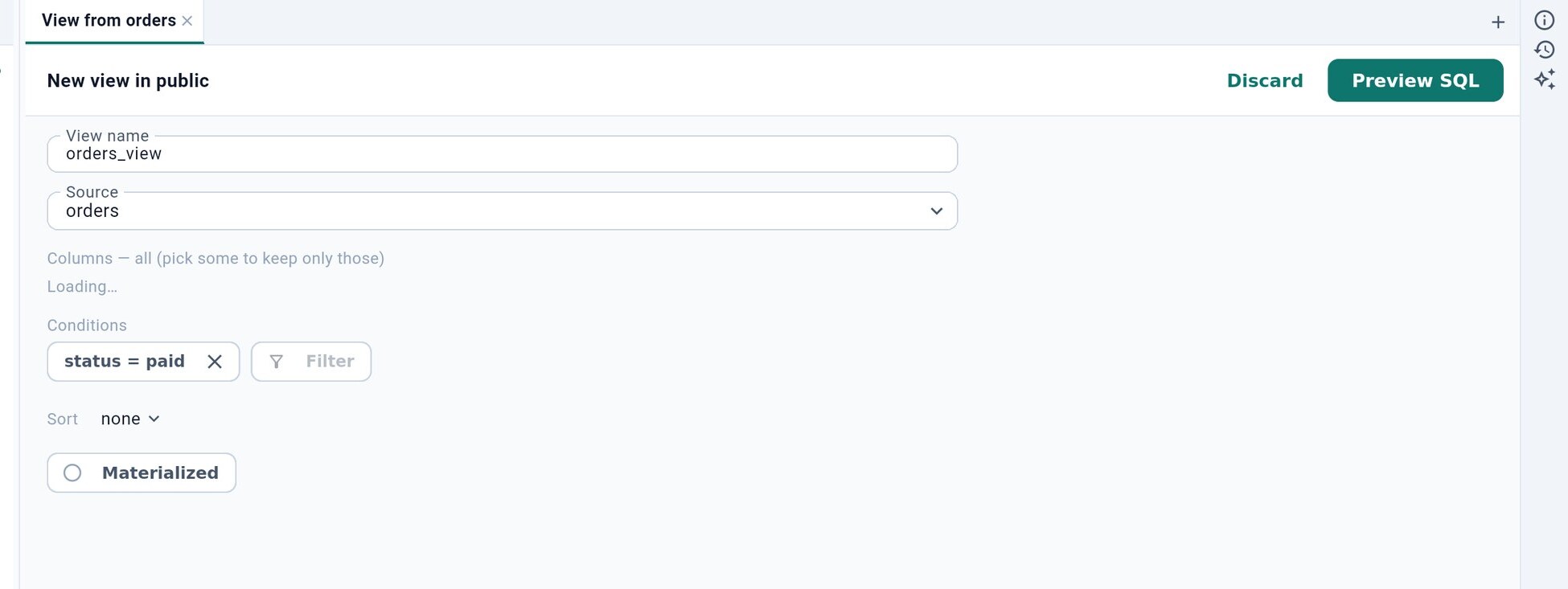
New view next to a schema in the sidebar (or Save as view… above a table’s rows) opens the view designer: pick the source table, the columns to keep, conditions and a sort order, and whether the view is materialized. Preview SQL shows the CREATE VIEW statement, which runs through the approval dialog.
8.2 Users and roles#
Users & roles under a connection lists the logins and roles the connected user can see; a superuser is drawn in the warning color. New user creates one, a click on an existing one opens it.
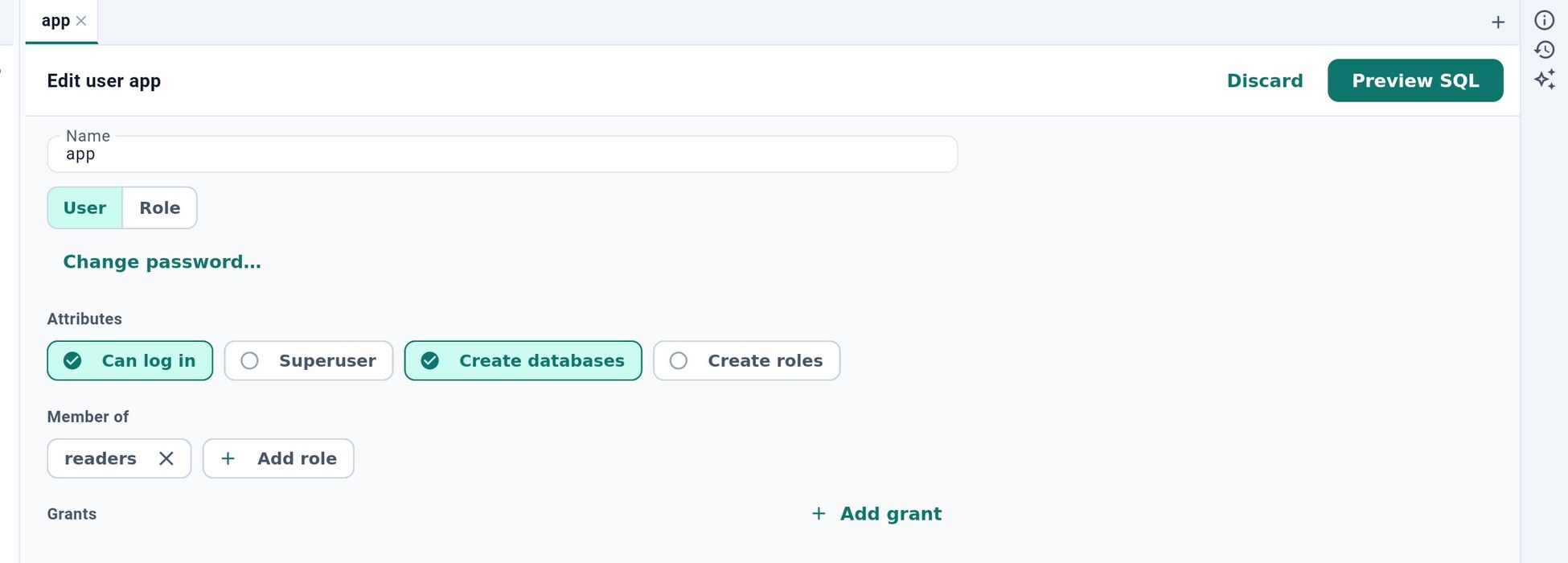
You can set the name, the password (Change password… on an existing user), whether it can log in, the database’s own flags (on PostgreSQL Superuser, Create databases and Create roles), the roles it is a member of, and its grants. Preview SQL shows the statements; they run through the approval dialog. BigQuery has no users of its own — its access is managed in Google Cloud.