Tabellum for desktop · Chapter 4
Writing SQL
4.1 The query tab#
New query tab (the + above the tabs, or the palette) opens an editor on the connection chosen at its top. Type SQL and press Cmd+Enter or click Run 1: Tabellum runs the selection if there is one, otherwise the statement under the caret.
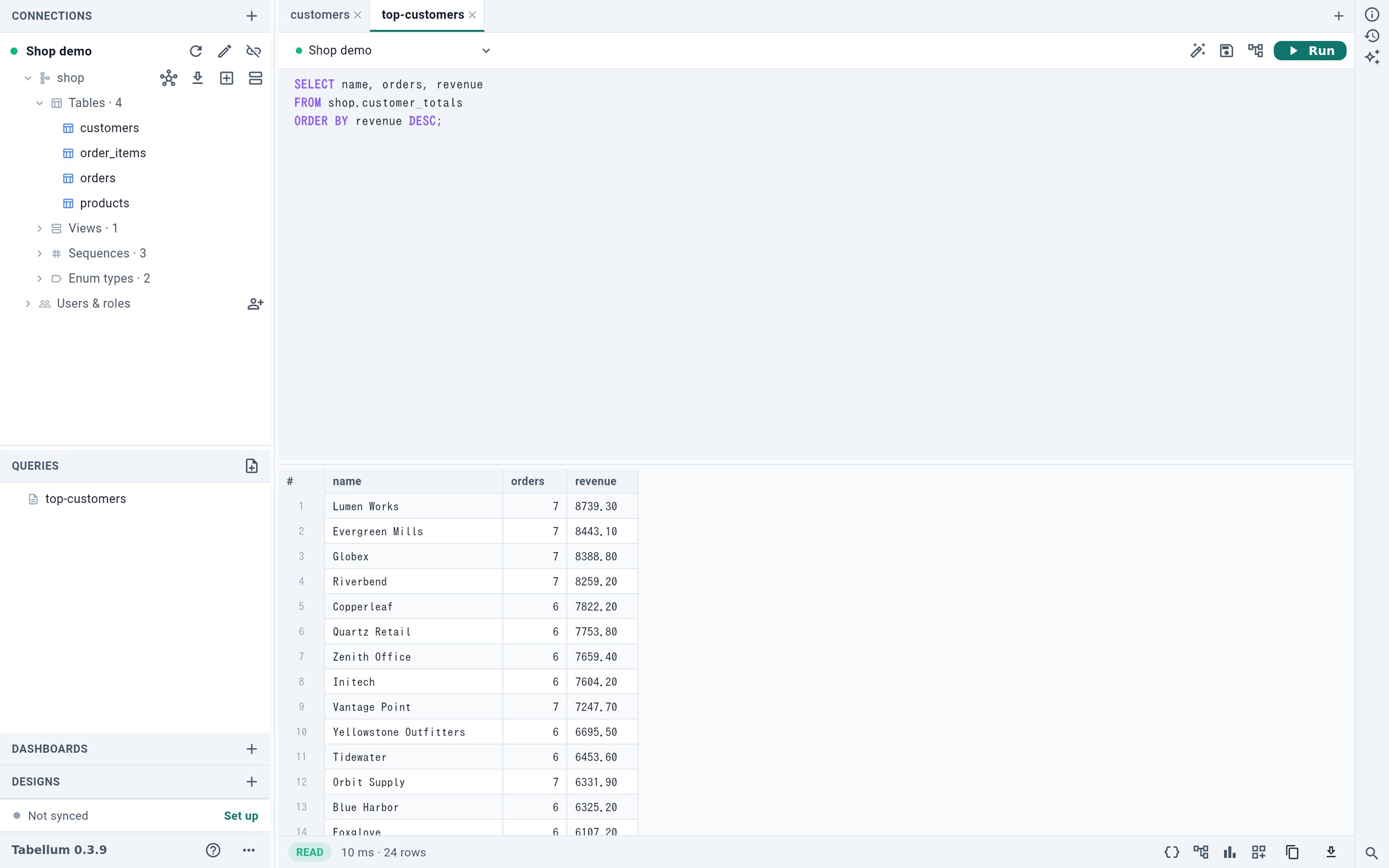
- Run the statement at the caret, or the selection
- Format the SQL
- Save as a query file
- The query plan
- Table, JSON or chart
- 2 formats the SQL: keywords upper-cased, one clause per line.
- 3 saves the tab as a file in
queries/(Cmd+S). - 4 shows the query plan (see below).
- 5 switches the result between a table, JSON and a chart.
While a query runs, Run becomes a red Stop button that counts the seconds; Cmd+. or Esc stops it too.
4.2 Completion#
The editor completes as you type, and it knows both the database’s dialect and your schema: tables, columns of the tables the statement names (with their aliases), functions with their arguments, and whole join conditions along foreign keys.
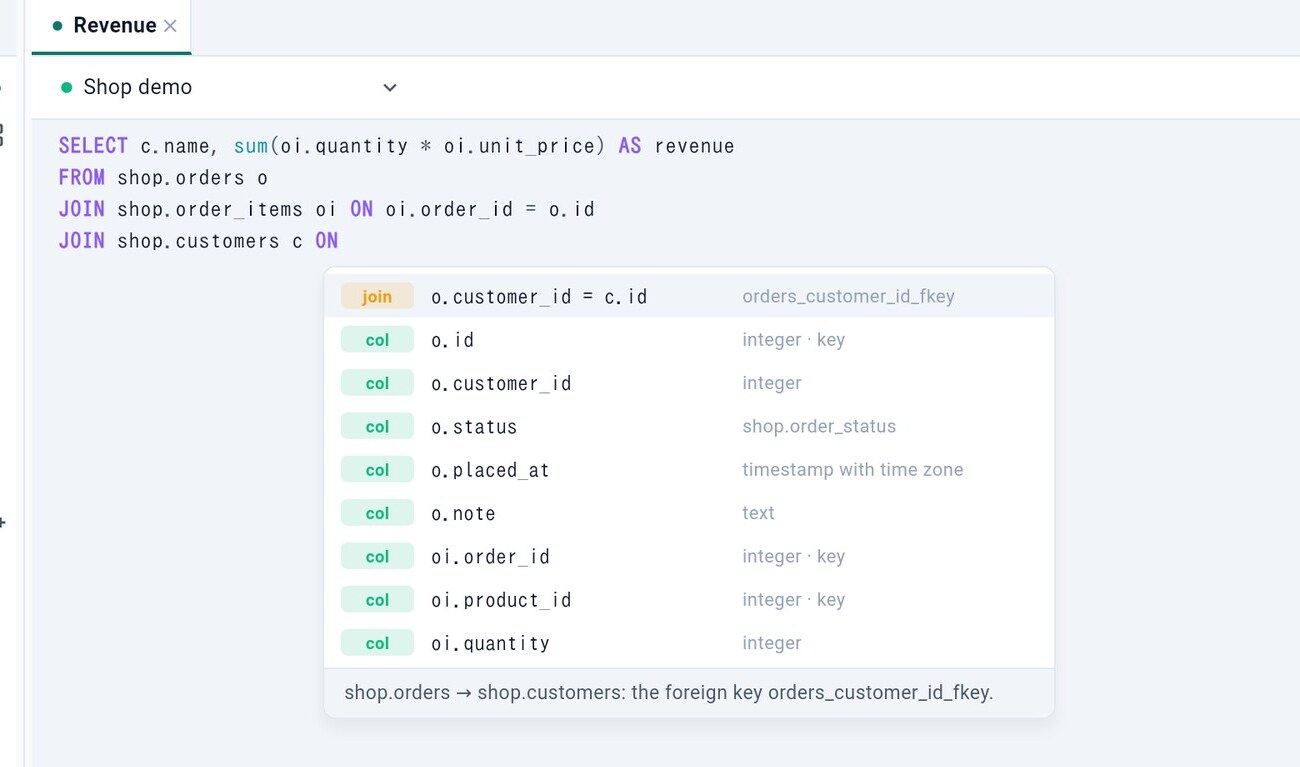
ON, the joins the foreign keys allow come firstPress Tab or Enter to accept, the arrow keys to move, Esc to close.
4.3 Parameters#
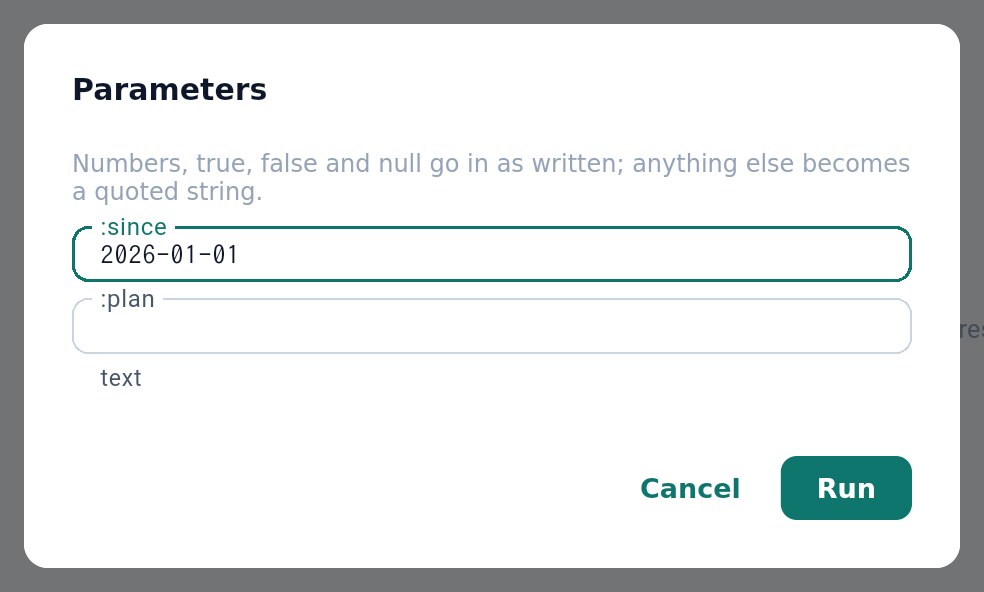
A query can have named parameters — :since, $1 or @name, as the database writes them. Before it runs, Tabellum asks for their values and passes them to the database separately, so they are never pasted into the SQL.
4.4 The query plan#
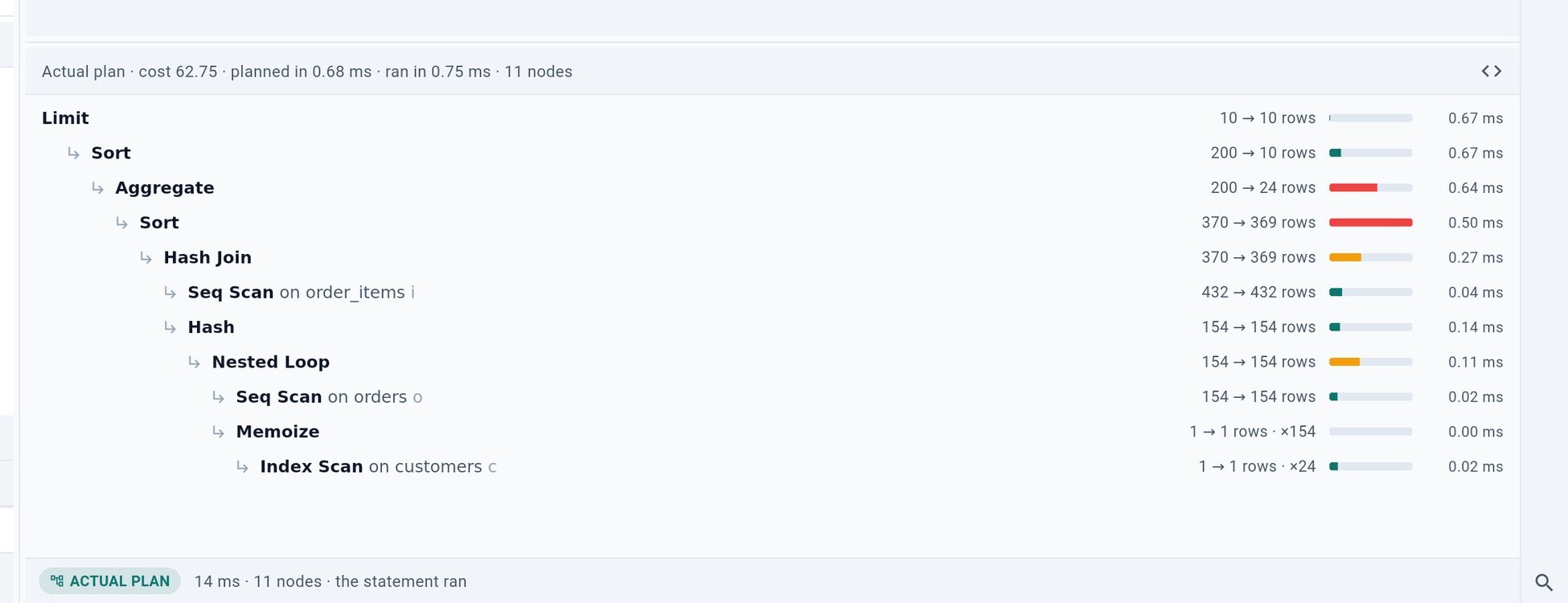
Plan (Cmd+Shift+E) asks the database how it would run the statement and shows the answer as a tree. Each step has a bar for its share of the cost, the costliest steps are highlighted, and the database’s own output is a click away. Press it again to go back to the rows without running anything.
4.5 The command palette#
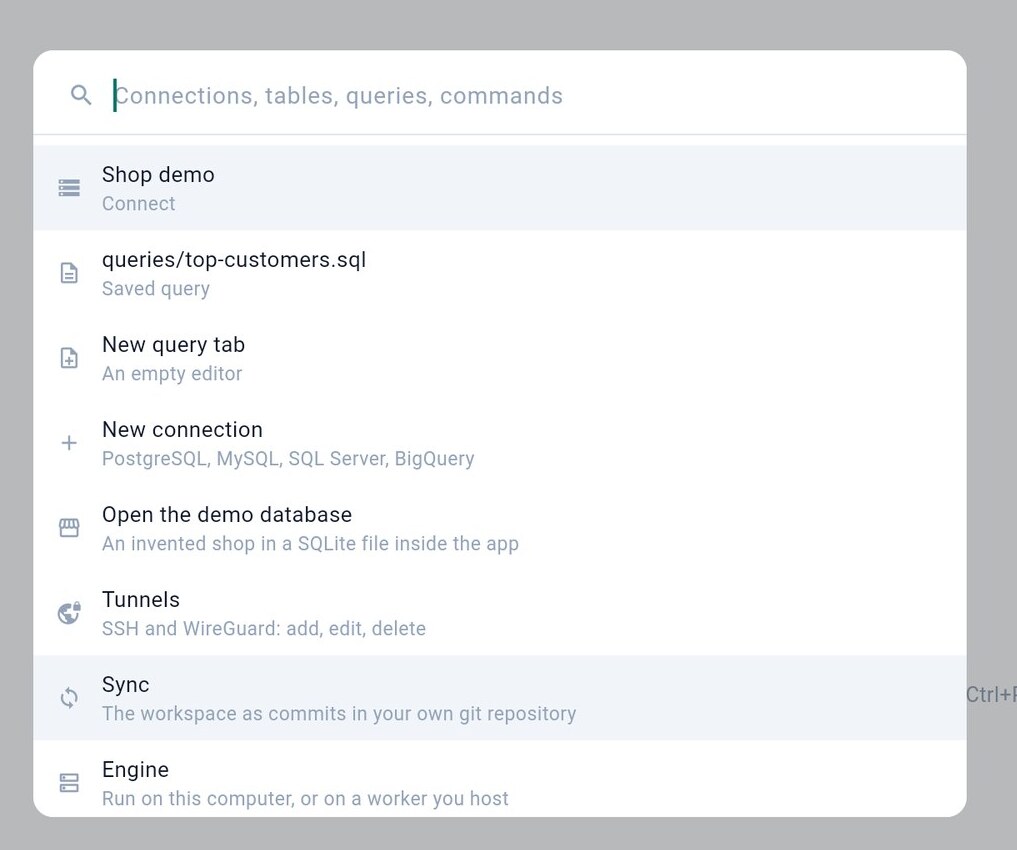
Cmd+P opens the palette: type a few letters of a connection, table, saved query or command and press Enter.
4.6 The approval dialog#
Tabellum reads every statement before it runs. Anything it cannot prove to be a read — UPDATE, DELETE, INSERT, CREATE, ALTER, DROP — stops at an approval dialog that shows the statements, their kind 1 and, where the database can tell, how many rows they would change.
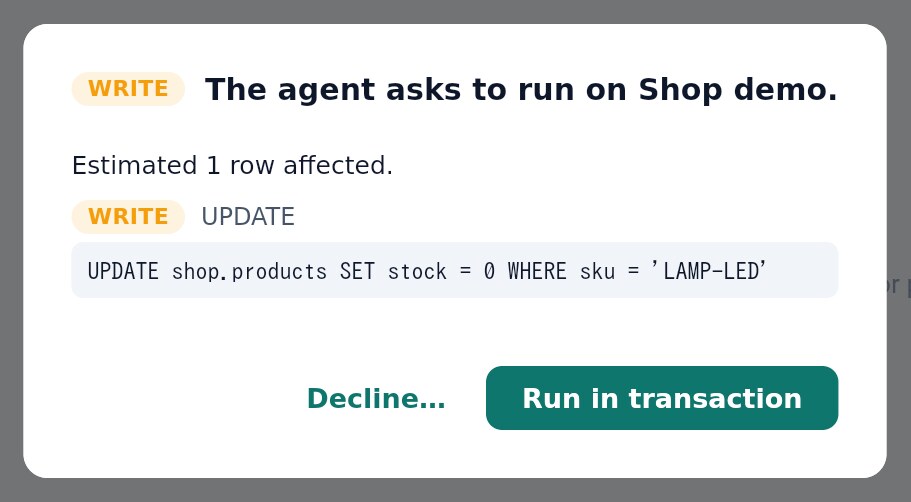
- What kind of statement it is
- Run it, all or nothing
Run in transaction 2 runs them all or none. Before a statement that changes the schema, the dialog offers to back up first. This dialog is the same whether you typed the SQL, edited cells, applied a design or the AI agent proposed it.