Tabellum for mobile · Chapter 1
Getting started
Tabellum is a database client for PostgreSQL, MySQL and MariaDB, SQL Server, BigQuery, SQLite and MongoDB. On a phone it browses and edits data, runs SQL, draws charts and dashboards, compares and designs schemas, and has an AI assistant that never writes to a database without your approval.
Everything you create — connections, saved queries, dashboards, designs, snapshots — is a plain file in the app’s workspace. Passwords and API keys are not: they stay in the phone’s secure storage (the Keychain on iPhone, the Keystore on Android).
1.1 The screen#
The screen has three parts: the title bar at the top, the page in the middle, and four buttons at the bottom.
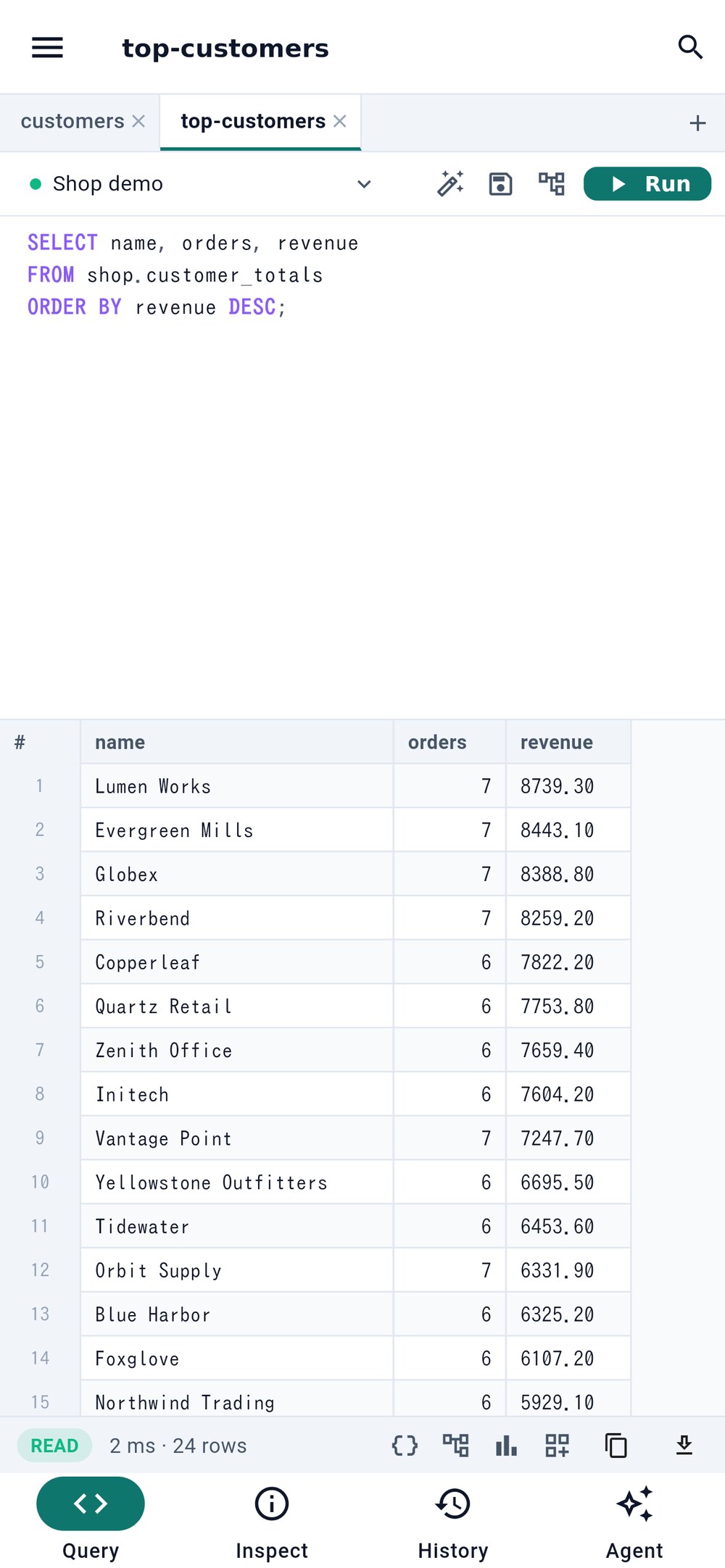
- The menu: connections, queries, dashboards, designs
- Search everything
- Run the query
- Inspector, history and agent pages
- The menu button 1 opens the side menu with your connections, saved queries, dashboards and designs. Whatever you open there opens as a tab.
- The search button 2 opens the command palette: connections, tables, saved queries and commands, found by a few letters.
- Run 3 runs the query in the open tab.
- The buttons at the bottom switch the page: Query shows the open tabs, Inspect 4 the selected object’s columns, indexes and constraints, History what ran, and Agent the AI agent.
Open tabs are listed in a strip above the page; tap one to switch, tap its × to close it, and tap + for a new query tab.
1.2 The demo database#
The first time Tabellum starts, its workspace already holds a small demo: an invented shop in an SQLite file inside the app, a saved query, and a design of its schema. Nothing needs a network or a server, so it is the quickest way to try every feature. Deleted demo files stay deleted; to get them back, choose Open the demo database in the command palette.
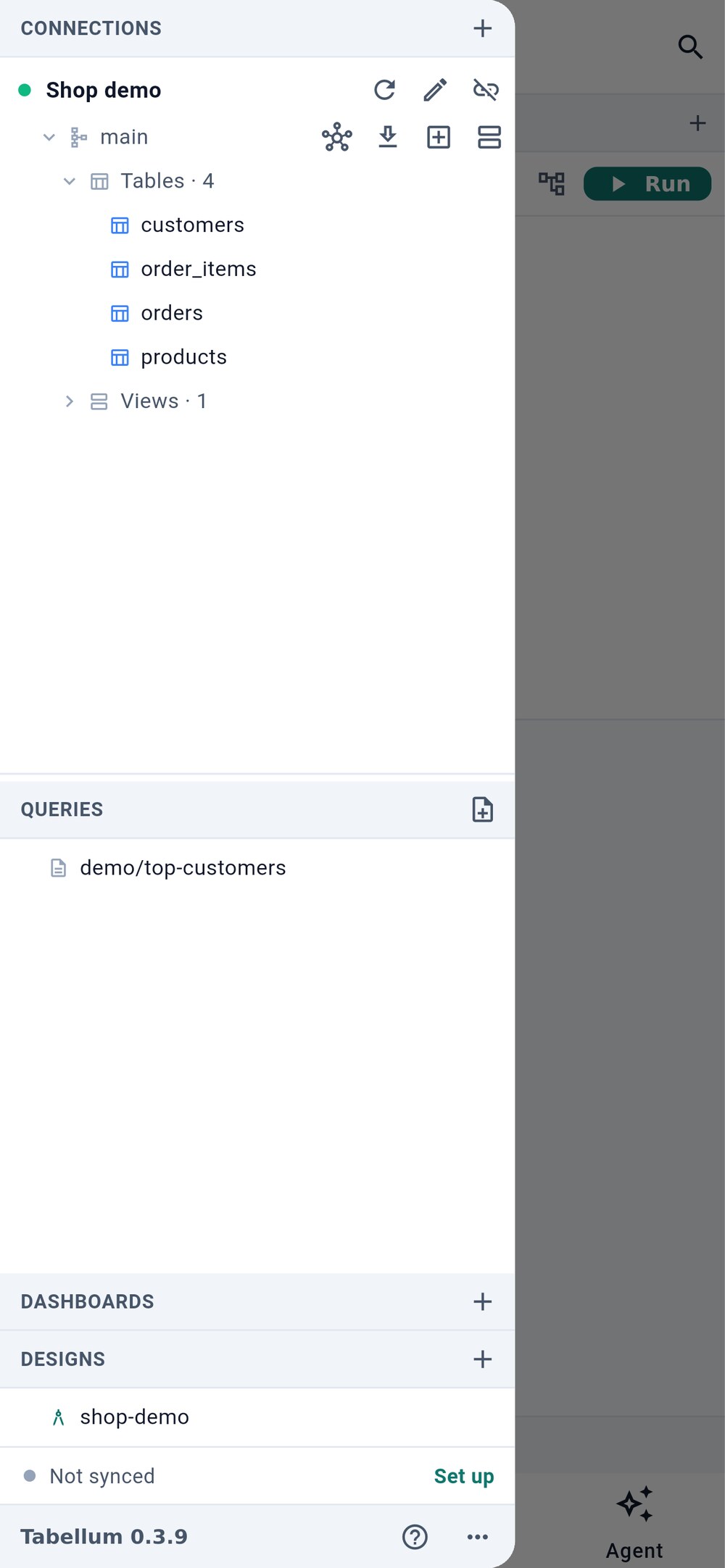
- Edit the connection
- An example saved query
- A design of the demo schema
- Open the menu and tap Shop demo to connect. The pencil 1 edits the connection.
- Tap the example query 2, then Run.
- Tap the design 3 to see the schema designer (see Section 7).
1.3 Your workspace#
The workspace is a folder inside the app. In it, connections/ holds the connections, queries/ the saved queries, dashboards/, designs/ and snapshots/ the rest, and sqlite/ the SQLite databases that belong to the workspace. The files are readable YAML, SQL and JSON, so the workspace can be kept in a git repository and shared with your other devices (see Section 10.3).
A connection file never contains a password. The password is in the secure storage of the device it was typed on; on another device you type it once.