Tabellum for mobile · Chapter 9
The AI agent
The agent answers questions about your databases in plain language: it reads the schema, runs read-only queries, explains plans, drafts SQL into the editor, builds dashboards and designs. It uses your own account with OpenAI, Anthropic or Google Gemini, and every write it proposes waits for your approval.
9.1 Setting it up#
Tap Agent at the bottom of the screen, then the settings button.
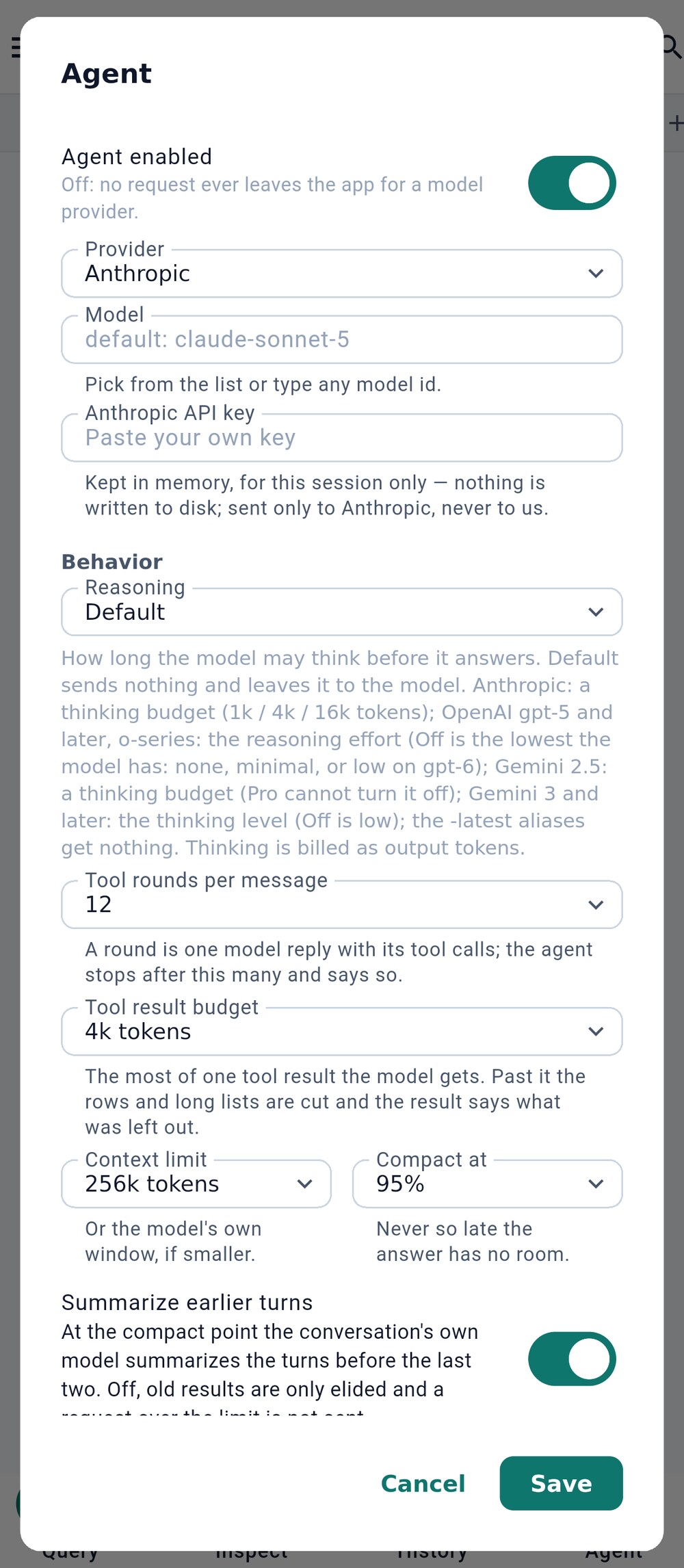
- OpenAI, Anthropic or Gemini
- How long the model may think
- Turn on Agent enabled.
- Choose the Provider 1 and a model, and paste your API key. The key is kept in secure storage and sent only to that provider.
- Optionally change Reasoning 2 (how long the model may think), the number of tool rounds per message and the context limit.
9.2 Asking#
Type a question and tap the send button. The agent reads what it needs and answers with tables and SQL; a longer result opens in a query tab.
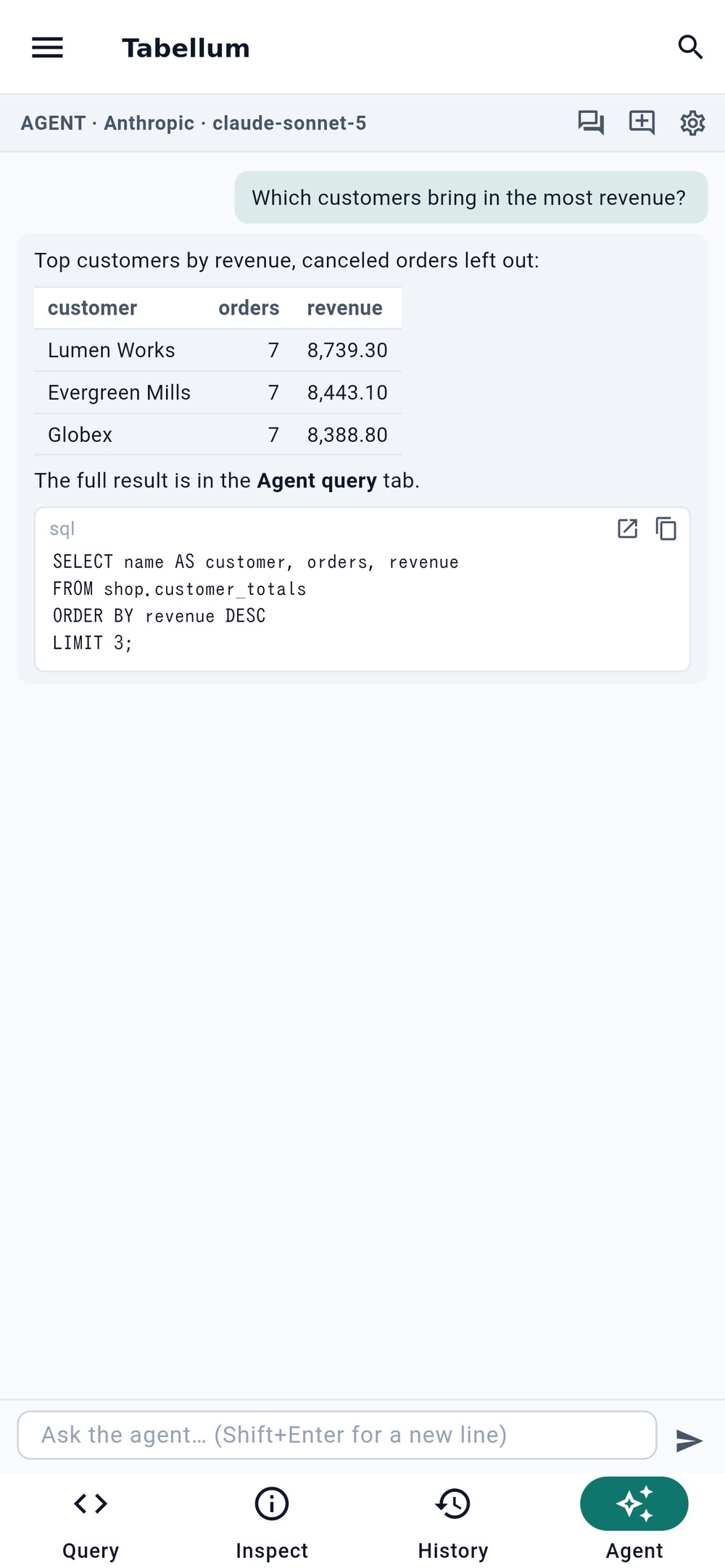
- Earlier conversations
- Provider, model and limits
- 1 lists your earlier conversations; New conversation starts a fresh one.
- 2 opens the settings.
- Once a request has gone out, What was sent appears next to them and shows exactly what was sent to the model, request by request.
When a conversation gets long, the agent summarizes the earlier turns so it can keep going; the summary is marked in the conversation.
9.3 What the agent can and cannot do#
- It reads freely: schemas, row counts, plans, and the results of read-only queries.
- It never runs a write itself. An
UPDATE, aDELETEor a schema change goes to the approval dialog (see Section 4.6), exactly as if you had typed it. - It sees row values only on connections with Agent may see rows turned on. On every other connection it gets tables, columns and counts, never data. A Sensitive connection gives it the schema only.
- Your files can steer it: an
agent.mdin the workspace adds your own instructions to every conversation.